


文章最后更新时间:
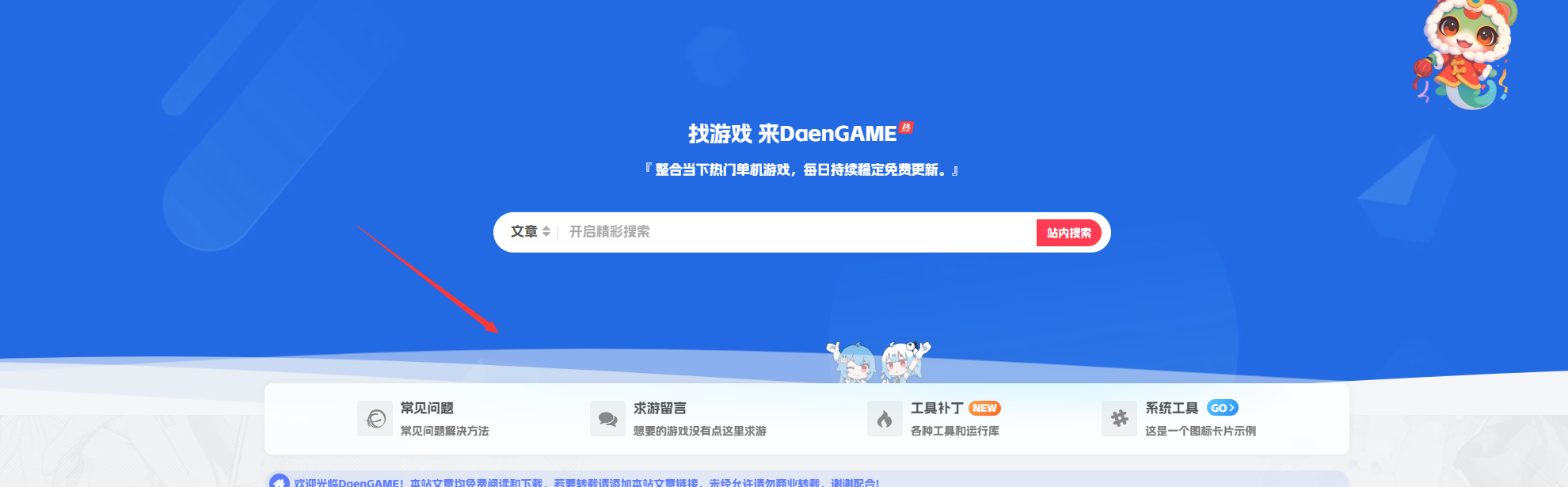
效果图
代码部署
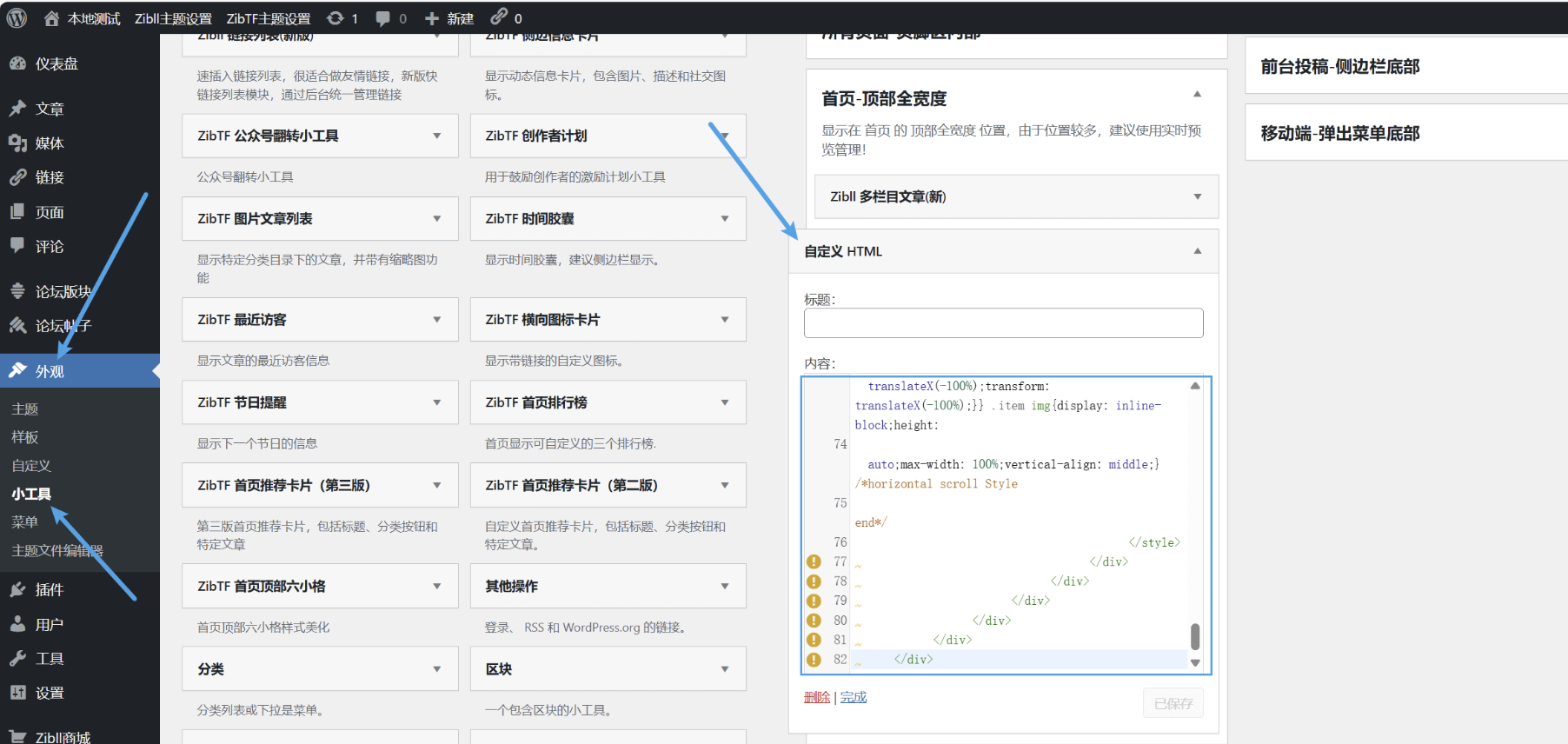
定位: 子比主题 –>> 页面&显示 –>> 顶部多功能组件 –>> 组件【下方】添加额外内容 ,将下面的代码丢里面即可。
<div class="soft-cat-logo">
    <a href="/yxsx"><span>
            <picture class="picture">
                <source type="image/webp" srcset="https://img.alicdn.com/imgextra/i3/2210123621994/O1CN01a9tbxK1QbIrQP20WF_!!2210123621994.png"><img class="jitheme-radius"
                    src="https://img.alicdn.com/imgextra/i3/2210123621994/O1CN01a9tbxK1QbIrQP20WF_!!2210123621994.png">
            </picture>
        </span><em>游戏资源</em>
    </a><a href="/category/pcgame"><span>
            <picture class="picture">
                <source type="image/webp" srcset="https://img.alicdn.com/imgextra/i1/2210123621994/O1CN01LXr2ud1QbIrPhSAU3_!!2210123621994.png"><img class="jitheme-radius"
                    src="https://img.alicdn.com/imgextra/i1/2210123621994/O1CN01LXr2ud1QbIrPhSAU3_!!2210123621994.png">
            </picture>
        </span><em>求游留言</em>
    </a><a href="/ask"><span>
            <picture class="picture">
                <source type="image/webp" srcset="https://img.alicdn.com/imgextra/i2/2210123621994/O1CN01oosr641QbIrOxszS3_!!2210123621994.png"><img class="jitheme-radius"
                    src="https://img.alicdn.com/imgextra/i2/2210123621994/O1CN01oosr641QbIrOxszS3_!!2210123621994.png">
            </picture>
        </span><em>问题反馈</em>
    </a><a href="/problem"><span>
            <picture class="picture">
                <source type="image/webp" srcset="https://img.alicdn.com/imgextra/i2/2210123621994/O1CN014LQnfy1QbIrQ3jPEl_!!2210123621994.png"><img class="jitheme-radius"
                    src="https://img.alicdn.com/imgextra/i2/2210123621994/O1CN014LQnfy1QbIrQ3jPEl_!!2210123621994.png">
            </picture>
        </span><em>系统环境</em>
    </a><a href="/category/wtyjj/gjbd/xthj"><span>
            <picture class="picture">
                <source type="image/webp" srcset="https://img.alicdn.com/imgextra/i4/2210123621994/O1CN017RKfoO1QbIrPIxIdq_!!2210123621994.png"><img class="jitheme-radius"
                    src="https://img.alicdn.com/imgextra/i4/2210123621994/O1CN017RKfoO1QbIrPIxIdq_!!2210123621994.png">
            </picture>
        </span><em>工具软件</em>
    </a><a href="/category/wtyjj/gjbd/gjrj"><span>
            <picture class="picture">
                <source type="image/webp" srcset="https://img.alicdn.com/imgextra/i2/2210123621994/O1CN01vMbUgB1QbIrPKORwF_!!2210123621994.png"><img class="jitheme-radius"  src="https://img.alicdn.com/imgextra/i2/2210123621994/O1CN01vMbUgB1QbIrPKORwF_!!2210123621994.png">
            </picture>
        </span><em>友情链接</em>
    </a><!--<a href="/links"><span>
            <picture class="picture">
                <source type="image/webp"
                    srcset="https://img.alicdn.com/imgextra/i2/2210123621994/O1CN01uTQPzm1QbIrPyLvjo_!!2210123621994.png"><img class="jitheme-radius" src="https://img.dmguo.cn/2025/02/20250212023404503.png">
            </picture>
        </span><em>wp主题</em>
    </a>-->
</div>
<style>
    .jitheme_item .picture>img {
        width: 100%;
        height: 80px;
    }

    .jitheme-radius,
    .post-thumb {
        border-radius: 10px;
    }

    .soft-cat-logo img {
        max-width: 100%;
        height: auto;
        object-fit: cover;
        border: 0;
        vertical-align: text-top;
    }

    .soft-cat-logo {
        display: flex;
        margin-top: 60px;
        text-align: center;
        justify-content: center;
    }

    .soft-cat-logo a {
        position: relative;
        display: flex;
        padding: .5rem .8rem;
        max-height: 60px;
        color: #1d2129;
        font-size: 12px;
        flex-direction: column;
        align-items: center;
    }

    .soft-cat-logo a span {
        position: relative;
        display: inline-block;
        margin-bottom: 5px;
        width: 70px;
        height: 70px;
        border-radius: .42857143em;
        background-size: contain;
        background-repeat: no-repeat;
        opacity: .8;
    }

    .soft-cat-logo a:hover span:before {
        opacity: 1;
    }

    .soft-cat-logo a span:before {
        position: absolute;
        bottom: -6px;
        left: 50%;
        top: 59%;
        display: block;
        width: 0;
        height: 0;
        border-right: 5px solid transparent;
        border-bottom: 6px solid #ef0053;
        border-left: 5px solid transparent;
        content: "";
        opacity: 0;
        -webkit-transform: translateX(-50%);
        transform: translateX(-50%);
    }

    .soft-cat-logo a em {
        position: absolute;
        bottom: -19px;
        display: none;
        padding: 4px 8px;
        border-radius: 4px;
        background: #ef0053;
        color: #fff;
        font-size: 13px;
    }

    .soft-cat-logo a:hover em {
        display: inline-block;
    }

    .soft-cat-logo a:hover span {
        overflow: visible;
        opacity: 1;
    }

    @media screen and (max-width: 767px) {
        .soft-cat-logo {
            display: none !important;
        }
    }
</style>
结语
部署就这么简单,快去添加吧!
本站代码模板仅供学习交流使用请勿商业运营,严禁从事违法,侵权等任何非法活动,否则后果自负!
© 版权声明
THE END



请登录后查看评论内容